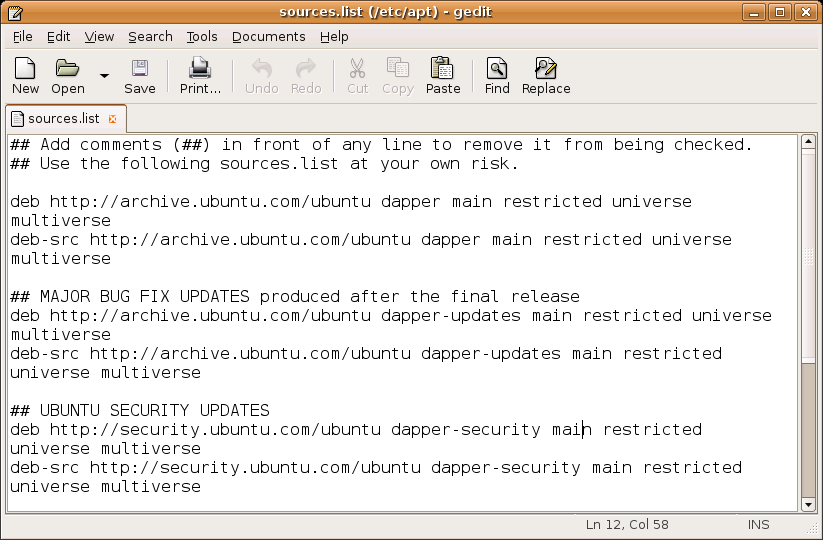
Once open, remove everything and past the following lines in.
## Add comments (##) in front of any line to remove it from being checked.
## Use the following sources.list at your own risk.
deb http://archive.ubuntu.com/ubuntu dapper main restricted universe multiverse
deb-src http://archive.ubuntu.com/ubuntu dapper main restricted universe multiverse
## MAJOR BUG FIX UPDATES produced after the final release
deb http://archive.ubuntu.com/ubuntu dapper-updates main restricted universe multiverse
deb-src http://archive.ubuntu.com/ubuntu dapper-updates main restricted universe multiverse
## UBUNTU SECURITY UPDATES
deb http://security.ubuntu.com/ubuntu dapper-security main restricted universe multiverse
deb-src http://security.ubuntu.com/ubuntu dapper-security main restricted universe multiverse
## BACKPORTS REPOSITORY (Unsupported. May contain illegal packages. Use at own risk.)
deb http://archive.ubuntu.com/ubuntu dapper-backports main restricted universe multiverse
deb-src http://archive.ubuntu.com/ubuntu dapper-backports main restricted universe multiverse
## PLF REPOSITORY (Unsupported. May contain illegal packages. Use at own risk.)
deb http://packages.freecontrib.org/ubuntu/plf dapper free non-free
deb-src http://packages.freecontrib.org/ubuntu/plf dapper free non-free
Press save and back in the terminal run "sudo apt-get update".

No comments:
Post a Comment